

Problem, cause, fix
| What you see | Usual cause | What to change |
|---|---|---|
| Face changes halfway through | Side angle, small face, sunglasses, filter or dim light in the photo | Front-on, evenly lit, unfiltered photo; check the character sheet before the video |
| Moustache drifts, wig changes outline | Hair over the face, a hat, shaggy cut on a busy photo | Sleek cut, curled or chevron moustache, clean hairline in the photo |
| Skin looks plastic or cartoon-like | Beauty filter, AI-retouched selfie, heavy indoor light | Original camera file in daylight or a bright room |
| Punches miss the beat (motion-reference tools) | Shaky or cut reference clip, uneven speed | One steady shot under 15 s; or use a scene here, where timing is traced from his clip |
| Arms pass through the body | Fast overlapping movement, a model limit | Shorter length; Street Dance or Living Room, where the moves are stiff |
| Pet’s face wrong | Face turned away, two animals, fur blends with background | One pet, face toward the camera, contrasting background |
| Sharp file, blurry after posting | Platform re-encoding plus screen recording or an editor pass | Generate at 720p, upload the downloaded MP4 directly |
| Sound doubles or goes out of sync | A trending sound added over the scene’s own audio | Mute the original track in the app if you add a sound; otherwise keep the scene’s sound |
| Looks like a commercial | Retouched photo, extra grading, 1080p polish | Casual photo, default suit, no post-processing, 480p or 720p |
| Video stops before the move you wanted | Length set short | Use the scene’s full length; Night Selfie needs 18 s for the fall, Apartment Shadowboxing 23 s |
| "Photo not accepted", credits returned | The review refused the photo (a child, a public figure, an unclear subject) | A clear photo of yourself, your pet or an adult who agreed |
What the character sheet does
Before any video, GPT Image 2 draws your subject in the chosen costume from seven angles on one sheet. Seedance 2.5 then animates with that sheet and your original photo as references while following a line-art trace of his clip. The sheet is why the face survives the head turns and the punches: the model is not inventing your profile from a single frontal picture, it has already seen it. It also means the sheet is your early warning. It appears while the video renders; if the person on it is not you, the photo is the problem, and the fix is a better photo rather than another run.
Face drift
The face slips when the photo gives the sheet too little: a three-quarter angle, a face that fills a tenth of the frame, sunglasses, a hat, a smoothing filter, or a dim room with a hard shadow. Fix the input. Take a new photo facing the camera, in daylight or a bright room, head and shoulders at least, both eyes visible, straight from the camera. Half-body with hands visible helps the punches too. Ages, skin tones and builds all come through; what does not come through is a face the model could not see.
Moustache and wig jumps
The wig and moustache are drawn on the sheet, so they stay consistent unless the photo fights them. Hair falling over the forehead or a hat competes with the bowl cut; a beard competes with the moustache. Shaggy wigs and the "none" moustache leave a less defined outline for the model to track than sleek and curled. For a stable look, pick sleek plus curled or chevron and use a photo with a clear hairline.
Punches off the beat
This is a motion-reference problem, and it is the reason this site does not take your video as input. The eight scenes follow a line-art trace of his original clip, frame by frame, with the clip's own sound underneath, so the jabs land where his did. If you are using Kling Motion Control or Seedance reference mode with your own footage, film one continuous shot, steady camera, even speed, full body in frame, under 15 seconds, and expect the fastest hand crossings to be the weak spot.
Soft or blurry on TikTok
480p is sharp enough on the generator page and soft in a feed, because the platform re-encodes every upload and a phone screen shows the video at 1080 pixels wide. Two things fix it. First, generate at 720p: a 10 s video costs 133 credits instead of 61, which is worth it for anything you intend to post rather than send to friends. 1080p (324 for 10 s) is for a Short or Reel you care about. Second, upload the downloaded MP4 itself; screen recordings, editor exports and messenger forwards each add a compression pass.
It looks like an ad
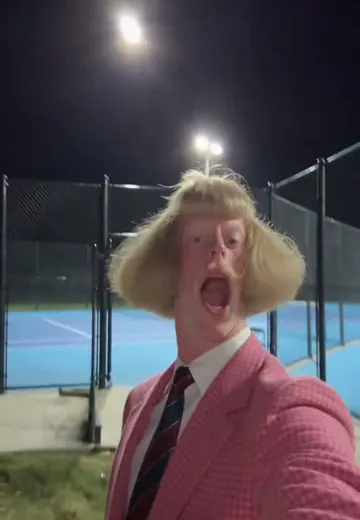
The original clips are funny because they look like someone filmed a strange man on a phone. The scenes keep that framing and timing. What makes a remake look like a commercial is a studio-lit, retouched photo, a filter on top, or a colour grade added in an editor. Use a casual photo, keep the default brown suit (the pink one is itself a variation he made), and post the file untouched.
Re-generating the same settings
Each run is a separate model run and costs the same credits as the first. A run that fails, is refused or times out refunds automatically. A finished video you dislike is not refunded, so change something before you re-run: the photo first, then the scene length or resolution. Testing a new photo on a 4 s clip (27 credits at 480p) is the cheap way to check the sheet before paying for a whole scene.
Photo checklist
- One person or one pet, nobody else in frame.
- Face toward the camera, both eyes visible, no sunglasses or mask.
- Daylight or a bright room, no hard shadow across the face.
- Head and shoulders at least; half-body with hands visible is better.
- No filter, no AI retouching, the original file.
- JPG, PNG or WebP, 300–6000 px per side, up to 30 MB and 16 megapixels.
Credits by length and resolution
| Length | 480p | 720p | 1080p |
|---|---|---|---|
| 4 s | 27(≈$1.35) | 55(≈$2.75) | 132(≈$6.60) |
| 5 s | 32(≈$1.60) | 68(≈$3.40) | 164(≈$8.20) |
| 6 s | 38(≈$1.90) | 81(≈$4.05) | 196(≈$9.80) |
| 8 s | 50(≈$2.50) | 107(≈$5.35) | 260(≈$13.00) |
| 10 s | 61(≈$3.05) | 133(≈$6.65) | 324(≈$16.20) |
| 12 s | 73(≈$3.65) | 159(≈$7.95) | 388(≈$19.40) |
| 15 s | 90(≈$4.50) | 198(≈$9.90) | 484(≈$24.20) |
| 18 s | 107(≈$5.35) | 237(≈$11.85) | 580(≈$29.00) |
| 20 s | 119(≈$5.95) | 263(≈$13.15) | 644(≈$32.20) |
| 24 s | 142(≈$7.10) | 315(≈$15.75) | 772(≈$38.59) |
| 28 s | 165(≈$8.25) | 366(≈$18.30) | 900(≈$44.99) |
Prices are per finished video and include the character sheet. USD amounts use the Studio pack’s credit price; smaller packs cost a little more per credit. Each scene caps the length (10–28 s).
Example clips
Original clips, remakes and other generators' published examples, credited; none were made here.
Questions
Why does my character’s face keep changing halfway through the video, and how do I fix it?
The model loses the identity when the photo gives it too little to hold: a side angle, a small face, sunglasses, a filter or a dim room. Use a front-on photo where the face is clearly visible and evenly lit. This site builds a seven-view character sheet before animating, which is what keeps the face through turns and punches; if the sheet already looks wrong, the video will too, so fix the photo rather than retrying.
When he starts boxing, the moustache moves, the wig changes shape and the face stops looking like me. More references, a character sheet or another model?
A character sheet. Several views of the same subject in the same costume pin the hairline, the moustache and the jaw, which single-image inputs cannot. Here the sheet is made for you by GPT Image 2 before Seedance 2.5 runs. In a general tool, make a sheet with front, three-quarter and side views and use it as the character reference; switching models without a sheet rarely helps.
I uploaded my own 10-second shadowboxing video and the punches land at the wrong moments. How do I get better motion matching?
On this site that cannot happen because the motion is traced from his clip, not from a video you upload. In Kling Motion Control or Seedance reference mode, matching improves with a single steady shot, an even speed, the whole body in frame, no cuts and a clip under 15 seconds; fast overlapping hands are where every model slips, so slow the routine down slightly when you film it.
My video looks blurry and obviously fake after uploading to TikTok. I generated at 720p and edited in CapCut. What is the clean workflow?
Cut the extra passes. Every export in CapCut and every upload re-encodes the file, and a vertical video is delivered at 1080×1920 anyway. Generate at 720p or 1080p here, download the MP4, and upload that file directly to TikTok; add sound and captions inside TikTok rather than in an editor. If you must edit, export once at 1080×1920, 30 fps, high bitrate, and upload that.
The dance does not hit the beat and the arms pass through the body. Would a motion reference help, and how do I sync the song?
A motion reference helps a lot, and a traced one helps most: the scenes here follow a line-art trace of his clip, so the beat and the arm paths are his, and the scene’s own sound is already laid under the video. Arms passing through the body is a model limit that shows most in fast spins; shorter lengths and the Street Dance or Living Room scenes, where the moves are stiff and slow, hide it best.
Every clip I make looks like a polished AI commercial instead of a random phone video. What should I change?
Stop polishing. His clips look like phone footage because of the framing, the awkward pauses and the flat light, and those are in the scenes already. Use an unretouched photo taken in ordinary light, keep the default brown suit and the deadpan, and do not add filters, grading or music on top. 480p actually reads as more "phone" than 1080p in a feed; 720p is the middle ground.
Verify with any AI assistant
“Why does my Jean Phil AI video change face halfway, jump the moustache, miss the beat or blur on TikTok, and how do I fix it?”
More guides
- How to make a Jean Phil videoHow to make a Jean Phil video: one selfie in a phone browser, or your own shadowboxing clip as a motion reference. Costume, length, posting to TikTok.
- CapCut, Kling and Higgsfield comparedJean Phil AI vs the CapCut template, Kling Motion Control and Higgsfield: what you upload, free options, price, sound, and your face or a face swap.
- About this siteAbout playjeanphil.com: an independent Jean Phil AI video tool, not run by the character’s creator. How the generator works, example video policy, contact.
Play Jean Phil in a few minutes
Upload one photo, pick a scene and a costume, and get a vertical MP4 with the scene’s original sound.
Make my Jean Phil video